
Every task, on the record it belongs to.
Most task systems keep a list about your clients. Beegle keeps the tasks on your clients — attached to the goal, the account, the policy, the person they're about. Do the work once, and it becomes that record's history forever.
The Problem
Task lists were built for projects. Clients aren't projects.
Most practices run their to-dos in a tool built for something else — a project board, a CRM workflow, a shared spreadsheet, an inbox. They all fail the same three ways:
- The list grows until it's unreadable. Sixty flat items, and no way to tell which five can actually be started today and which are stuck behind something else.
- Finished work disappears. Completed tasks fall into an archive nobody opens. Two years later, nobody can say what was done on that policy, or why.
- Rigid workflows don't survive real clients. Pipeline tools lock every client into the same predetermined flow. The first time a client needs something different, you're working around your own system.
Projects end. Client relationships run for decades. The work deserves a home that's built for that.
The Shift
Tasks live on the client's records — and stay there.
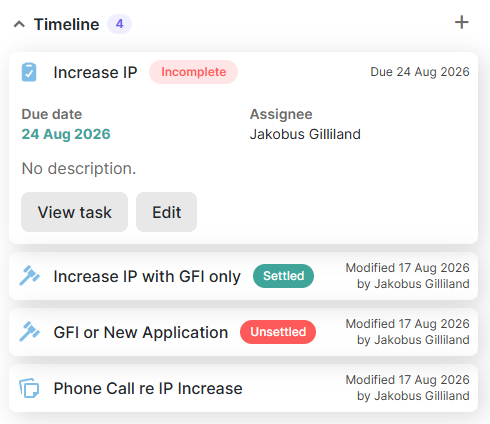
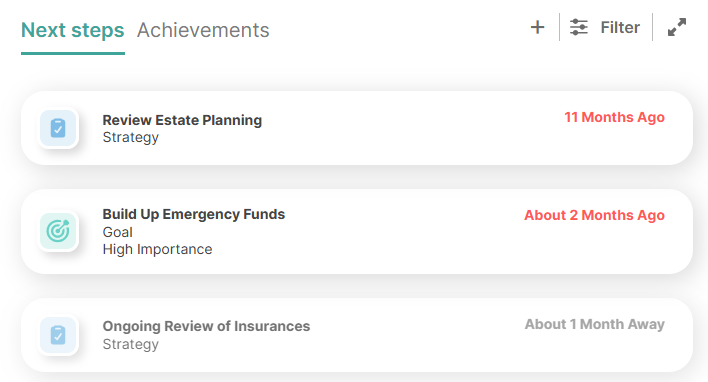
In Beegle, a task attaches to the things it's about: a person, an entity, a goal, a key date, an account, an insurance policy, an insurance recommendation — one of them or several at once. It sits on each record's timeline alongside your file notes and commentary, while it's open and after it's done.
Open a policy in three years' time and you don't find a bare policy record. You find what was done to it, when, by whom — and why. No searching, no separate task archive, no asking whoever handled it last. The information is simply where you look.
It's also first-hand. You're not asking an AI to trawl your documents and reconstruct the story — waiting on an answer, then wondering how much of it to trust. The history was written as the work was done, and it reads back exactly as it happened.
How It Works
Structured enough to run the practice. Flexible enough to survive real clients.
Break work into steps
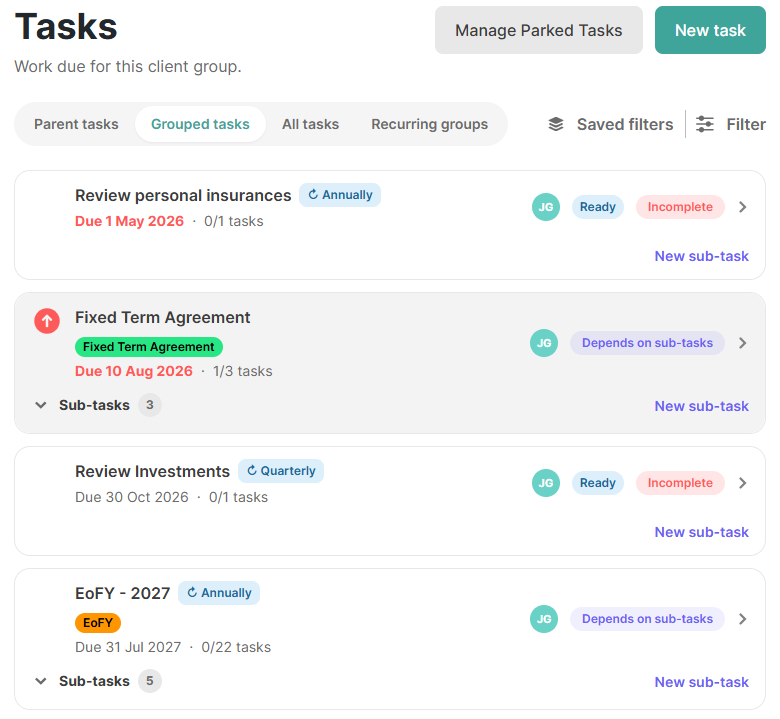
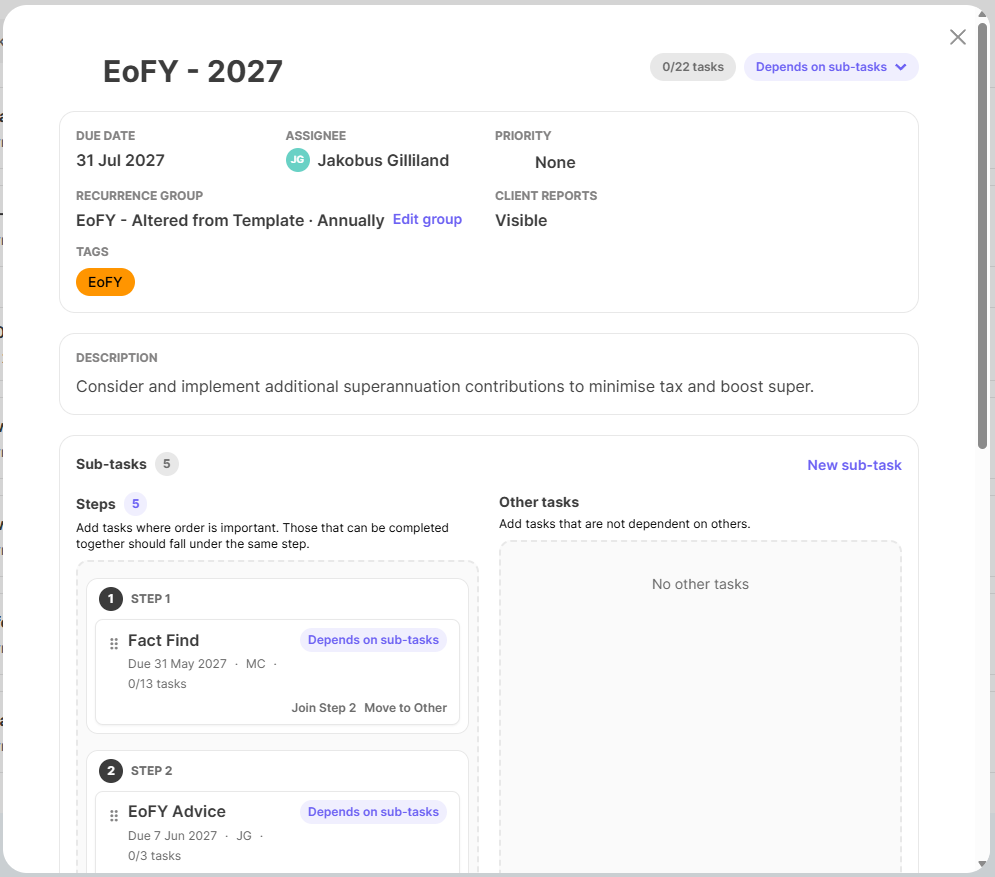
Any task can carry sub-tasks up to five levels deep — the annual review, its preparation, the meeting, the follow-ups, each with steps of their own. Put steps in order where sequence matters, or leave them side by side where it doesn't.
A parent task can be set to depend on its sub-tasks: as the last step closes, the parent completes itself. And nothing closes early — a task can't be marked complete while a step under it is still open.
Ready and Waiting, worked out for you
Beegle reads the order you set — through every level of the tree — and marks each task Ready or Waiting. A task is Ready when nothing ahead of it is still open, and Waiting when it's blocked by an earlier step, even one levels above it.
Filter to Ready and your team sees only work that can actually be started. No more scanning sixty items to find the five that matter. No more "where's that up to?"
Views you set up once
Filter by status, readiness, priority, assignee, tag, due date, judgement status, parked or active — in any combination — then save the view with your own name on it.
Saved views use rolling dates: "due in the next fortnight" still means the next fortnight when you open it in March. Your morning queue is one click, every morning.
See where every piece of work stands
Open any task and see its place in the work: the steps beneath it, their progress, and what's Ready versus Waiting at a glance. Assign each step to the person doing it — Beegle checks they can actually access that client before it lets you.
Anyone on the team can pick the work up mid-stream and know exactly where it stands.
Park it without losing it
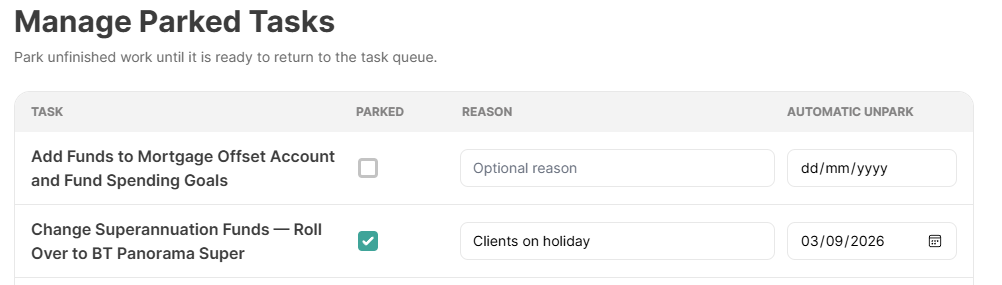
Client overseas until October? Park the task with the reason and a return date. It leaves the active queue, comes back on its own when the date arrives, and every park and return is recorded.
Three years later, the gap in the work is explained — not mysterious.
Recurring work with real history
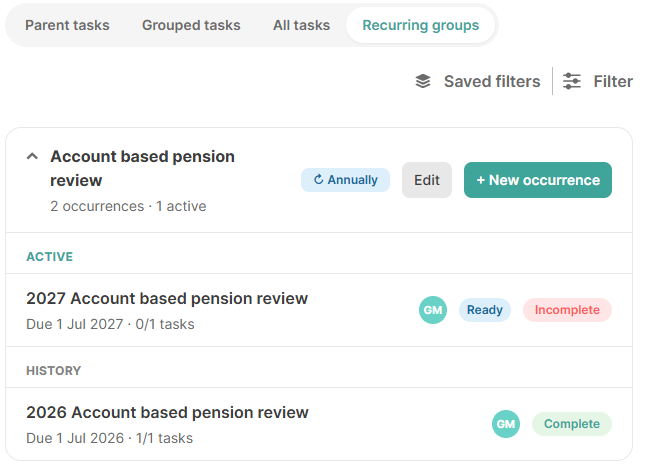
Set work to repeat — daily through to annually. Each occurrence is its own task with its own steps, notes and trail, so completing this year's review doesn't overwrite last year's.
When one occurrence is done, Beegle suggests the next due date and you confirm it. The series keeps its history; every year stands on its own record.
Choose what clients see
Every task carries a visibility toggle. Clients see the work at the level that means something to them — "Set up investment portfolio" in their report, marked done — while the implementation steps underneath stay internal.
The same goes for compliance work they never need to think about. Clients see the outcome; you keep the engine room private.
Templates that don't lock you in
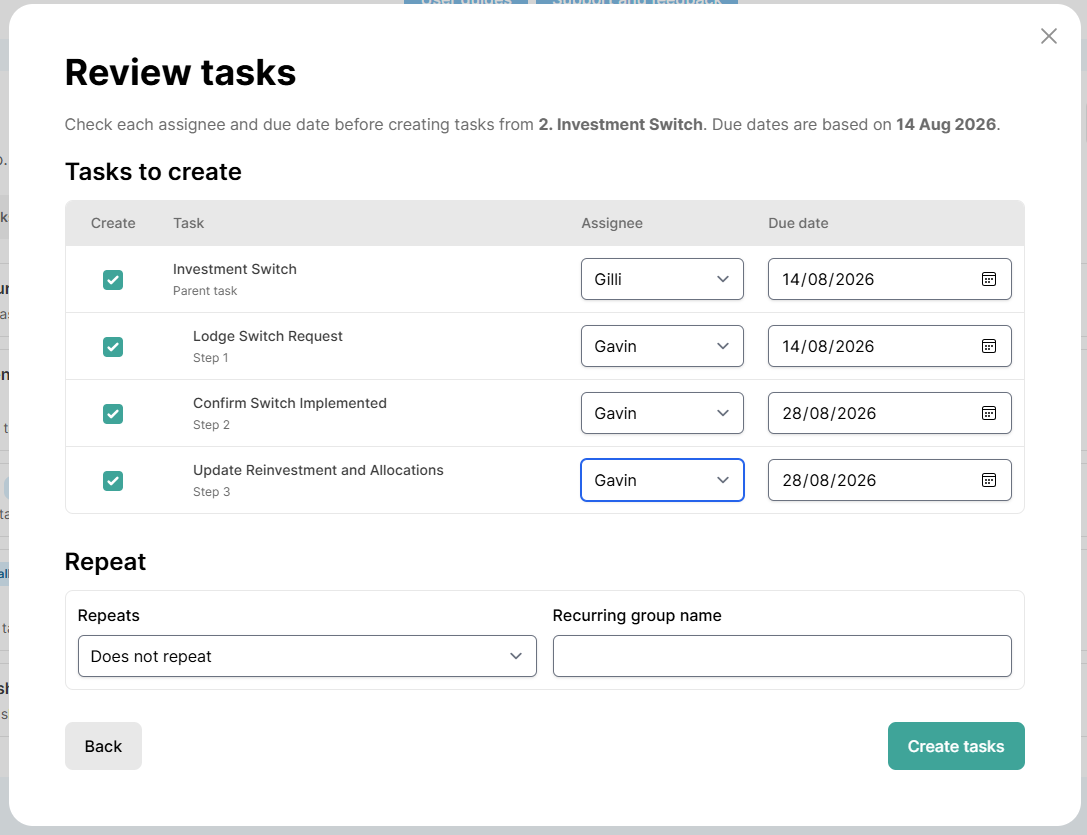
Build your standard task trees once — annual review, new client onboarding, insurance application. Due dates set themselves by rule ("the upcoming 31 March", "three months from now"), and steps assign by role rather than by name, so a template outlives staff changes.
Every time you apply one you see a preview first, and you can adjust anything for that client before the tasks are created. Change whatever you like afterwards, too — the template is untouched, and so is every other client using it. A starting point, not a straitjacket.
The Payoff
Next year's review starts already informed.
This is the part no standalone task tool can offer: because tasks live on the client's records, everything your team does this year is sitting exactly where you'll look next year.
- Prepare a review, and last year's actions — what was done, what was parked and why, what judgement was recorded — are already on the records you're reviewing.
- Take an unexpected call, and the open tasks on that client show you what's in flight at a glance.
- Hand a client to a colleague — or acquire a book — and the work history travels with every record, not with someone's memory.
Your tasks stop being a to-do list that empties into the void. They become the practice's institutional memory.
Give every task a home.
See your book as a single queue of work that's actually startable — and every client record carrying its own history.