
Employment and benefits join the client record
Beegle now records each client’s employment and government benefits. One more core part of a client’s situation now sits alongside their accounts, policies, goals and tasks.
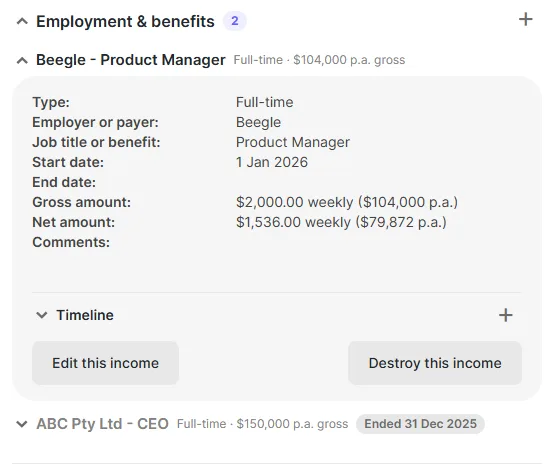
Advisers already keep close track of a client’s occupation and income. It shapes insurance cover and occupation classes, cash flow, super contributions and budgeting. Until now, though, Beegle didn’t have a dedicated place to record it, so it was stored in other systems or hidden in notes.
From today, employment and benefits have a proper home in Beegle.
What you can record
Every individual now has an Employment & benefits section. Add as many jobs or benefits as the client has, each with:
- Type: full-time, part-time, casual, contract, self-employed or government benefit
- Employer or payer: the employer, or the paying agency such as Centrelink
- Job title or benefit: the role, or the payment, such as Age Pension
- Start and end dates
- Gross and net amounts, and how often they’re paid (Beegle works out the annual figure for you)
- Comments: hours, salary sacrifice, regular bonuses, planned retirement, anything else worth knowing
Past roles stay on the record, greyed out and marked with the date they ended. A new role that hasn’t started yet shows its start date. You keep the client’s work history without it cluttering what’s current.
A more complete client record
Employment builds on a run of additions to the client record over the past few months:
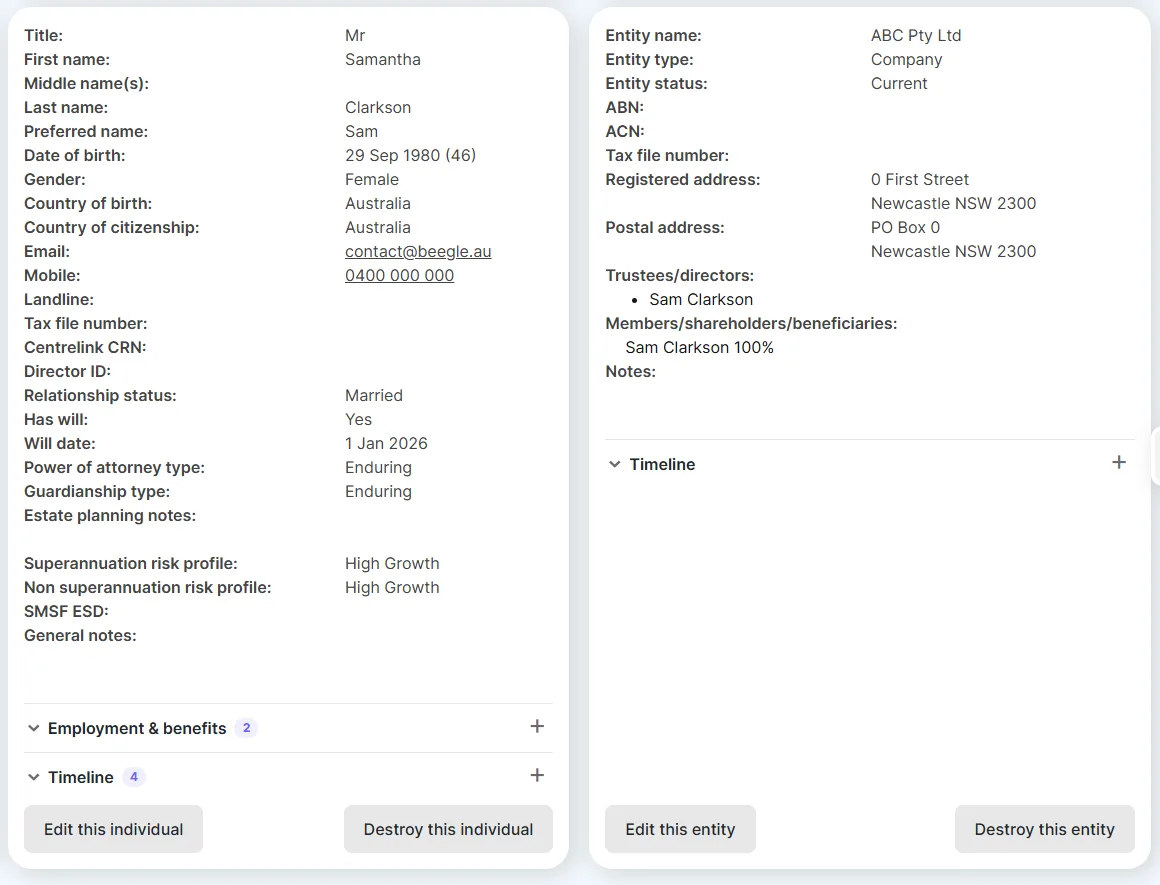
- Individuals: title, middle names, preferred name, gender, country of birth and citizenship, email, mobile and landline, tax file number, Centrelink CRN and Director ID
- Entities: ABN, ACN, tax file number, and separate registered and postal addresses
Add the accounts, policies, goals, estate planning details, risk profiles, file notes, tasks and budgets Beegle already holds, and far more of the relationship now lives in one place. That means fewer trips to a second system for contact details, and less digging through old fact finds.
Sensitive details are encrypted in the database. That includes names, contact details, tax file numbers, CRNs, Director IDs, ABNs and ACNs, and employers and job titles.
Where employment details show up
Recording income once means you don’t re-key it in the places that use it.
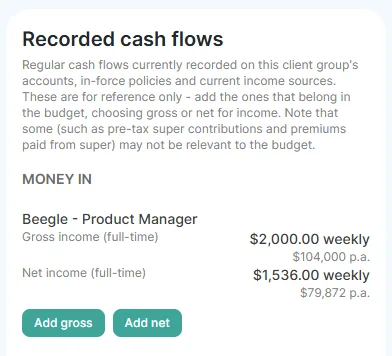
- Budgets. A client’s current income appears in the budget’s cash flow reference panel. Add it to the budget as gross or net in one click.
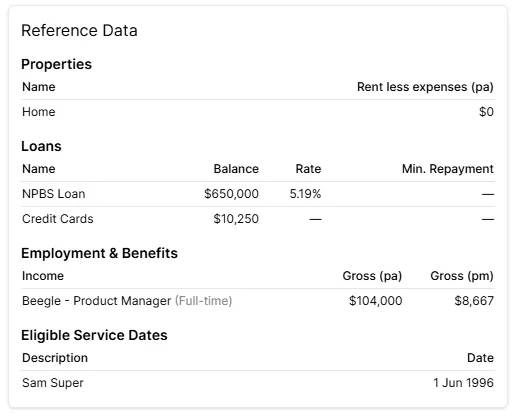
- Insurance needs. The reference panel shows each insured person’s current gross income, annually and monthly. The employment total leaves out government benefits, which aren’t insurable income.
- AI fact-find import. When you import a client’s documents, Beegle now picks up their employment and government benefits too.
- Its own timeline. Each job or benefit has a timeline, just like accounts and policies. Link a task to it (“Review salary sacrifice after the pay rise”), add commentary, or attach notes from a meeting.
Getting started
Open Individuals & Entities, expand Employment & benefits on a client’s card, and choose + → New income. For existing clients, the next review is a natural time to fill it in.
Not using Beegle yet? Book a demo and we’ll show you around.